My Page Settings
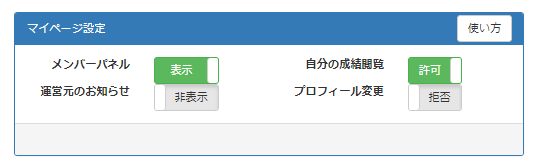
- In the "My Page" settings, the following four settings can be set to "Show / Hide" and "Allow / Deny",
You can edit a member's My Page.
▼ Member Panel ▼ View Your Results
Notice from the operator ▼ Profile change
Go to setting screen
- Log in as the administrator (parent user).
-
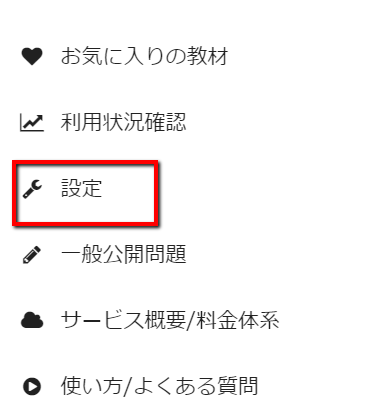
Click 'Settings' on the sidebar.
-
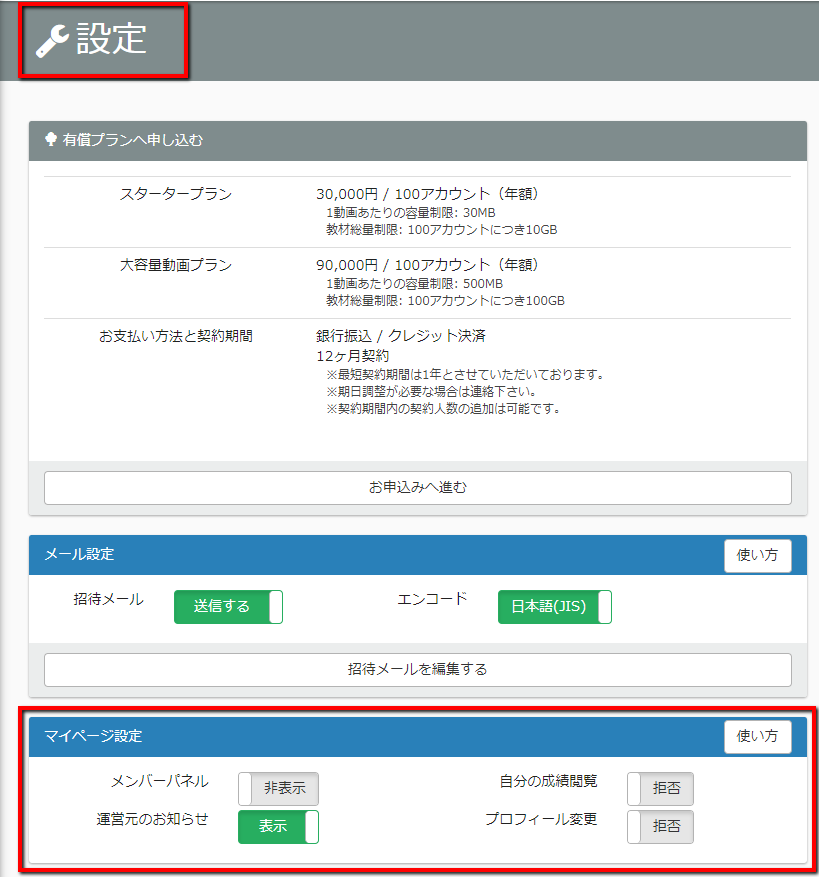
The "Settings" screen is displayed.
Show / Hide members
- This service has an administrator (parent user) and members (child users).
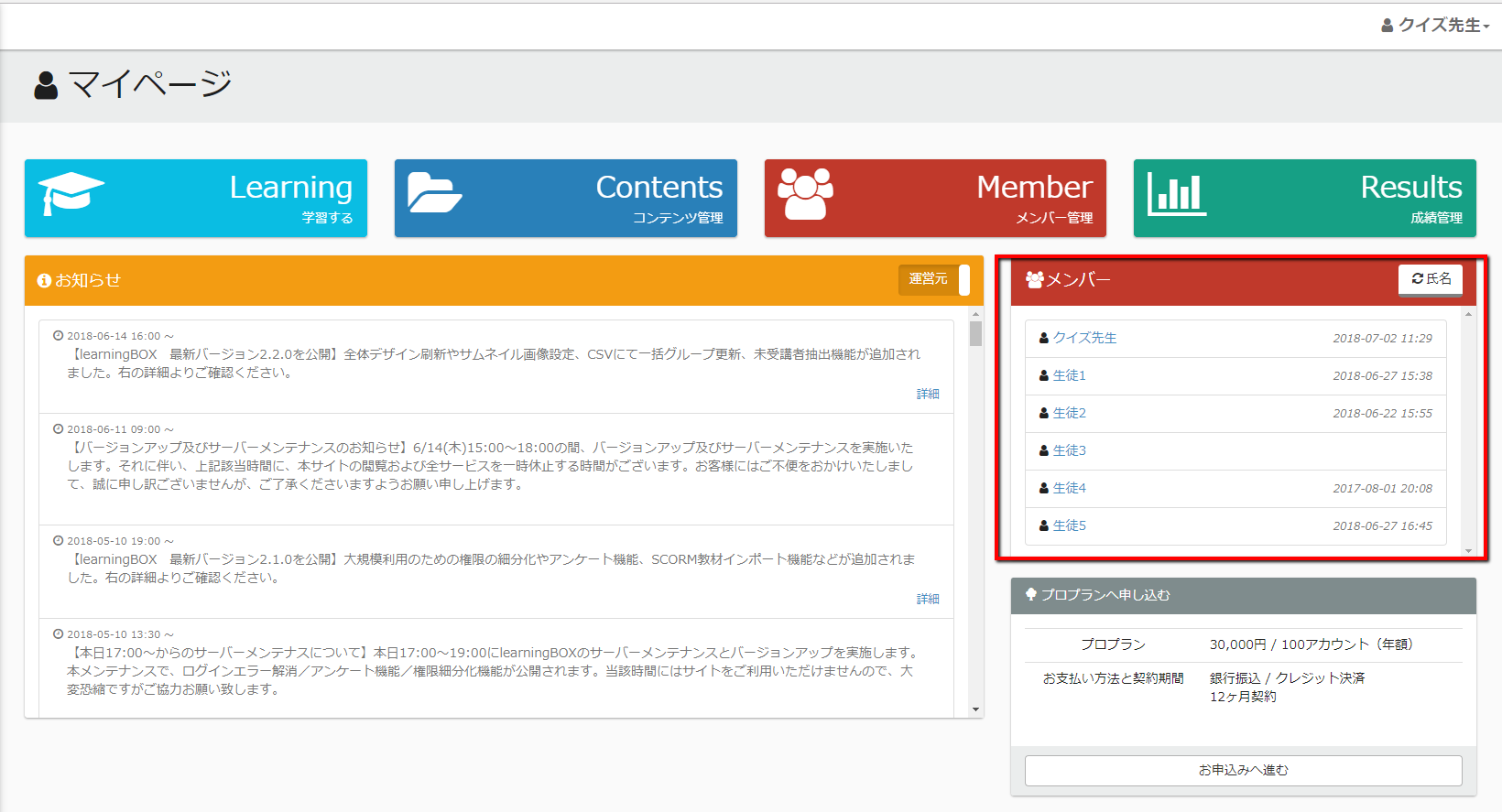
In this section, you can set the "Show / Hide" settings in the red frame of the following image (Member's My Page).
-
You can show/hide the member panel in "My Page Settings".
Displayed / hidden" on the member's (child user's) My Page.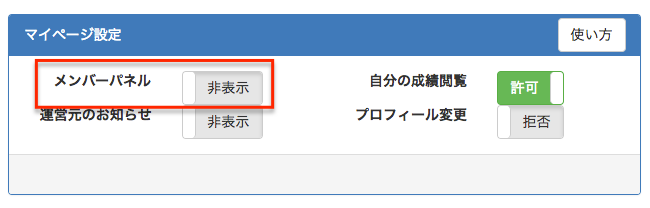
-
If "Hide" is selected, the image below will be displayed.
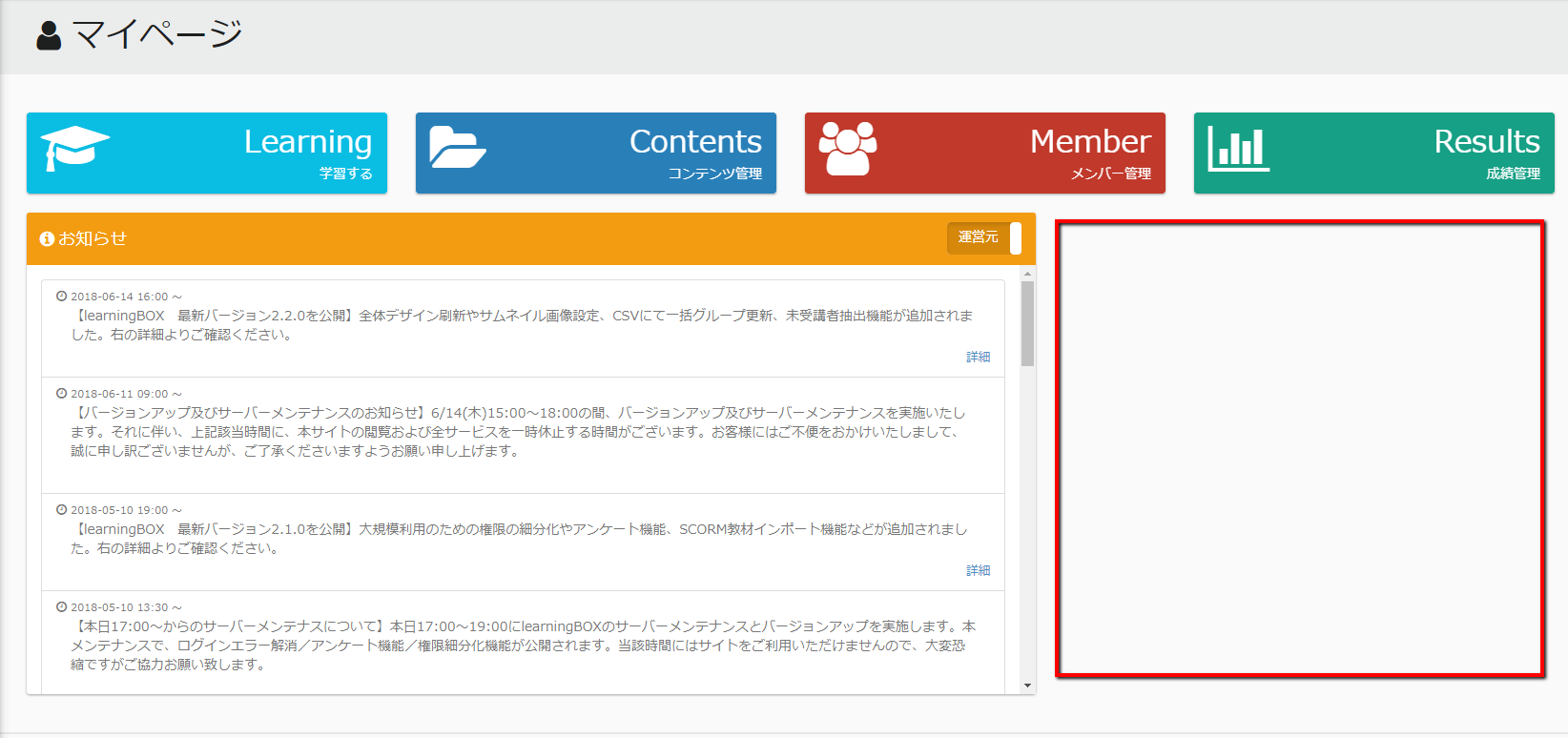
Show / Hide your results in My Page
-
Next, you can choose whether you want your results to be "displayed" or "not displayed" when you log in.
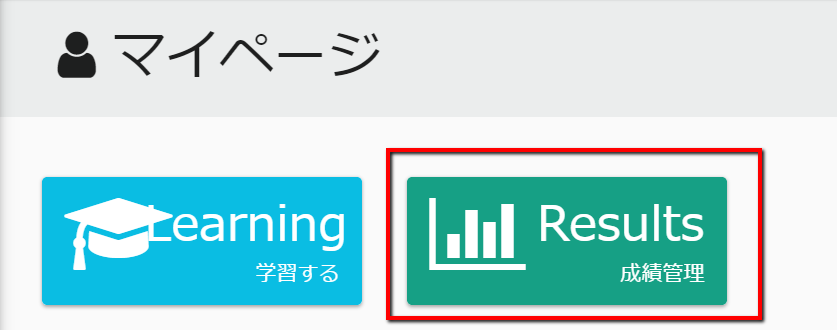
- Log in as the administrator (parent user).
-
Click on "Settings" in the sidebar.
-
In "My Page Settings", set "Allow / Deny" to "Allow / Deny" to view your results.
By switching this option, the results will be "shown/hidden" on the member's (child user's) My Page.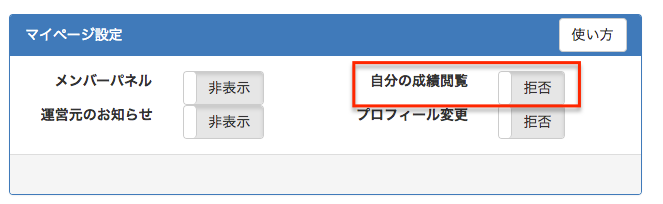
-
If you select "Deny", the following image will be displayed.

Set whether members can edit their own profiles on My Page.
- Next, you can set whether or not you can "change" your profile when you log in.
- Log in as the administrator (parent user).
-
Click 'Settings' on the sidebar.
- You can change your profile in "My Page Settings" by changing the "Allow / Deny" option,
Individual members (child users) can "change" or "disable" their profiles.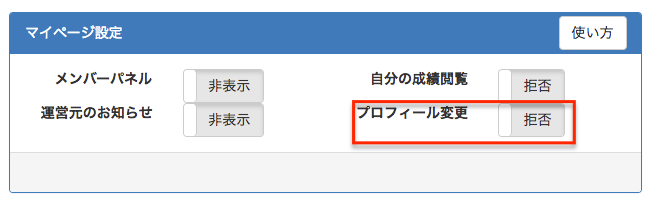
- If you choose "Deny", individual members will not be able to see the profile changes.
Show / Hide the notice from the operator
-
Finally, when the member himself logs in, the
Set to "Show/Hide" the notices from the operator.
- Log in as the administrator (parent user).
-
Click on "Settings" in the sidebar.
-
You can change the "Show / Hide" setting of the operator's notice in the "My Page Settings",
Members (child users) will be able to switch between announcements from the operator and announcements within the group on their My Page.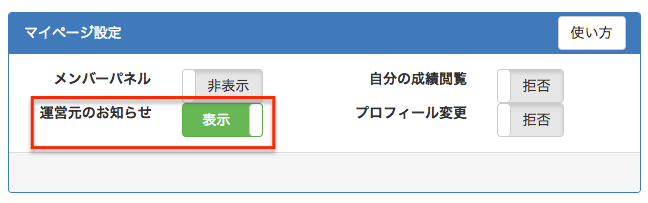
-
When "Display" is selected, the switch for switching will be displayed in the red frame of the image below.
