You can configure various settings on the result screen.
Correct/incorrect message
Please add the following specification (after #) to the header part.
#messages_correct:____ (←Enter the text you want to display when you answer correctly.)
#messages_incorrect:____ (←Enter the text you want to display when you answer incorrectly.)
#messages_not_selected:____ (←Enter a warning message when the answer is not selected.)
#messages_not_filled:____(← Enter a warning message when the answer is not written.)
| item name | default value | Description. |
|---|---|---|
| messages_correct | Correct! | This is the message when you answer correctly. |
| messages_incorrect | incorrect | This is the message when you answer incorrectly. |
| messages_not_selected | Please select an answer | This is a warning message when you try to submit a question without selecting a choice in a multiple choice, fill-in-the-blank, or pull-down question. |
| messages_not_filled | Please enter your answer | This is a warning message when you try to submit a written question without writing the answer. |
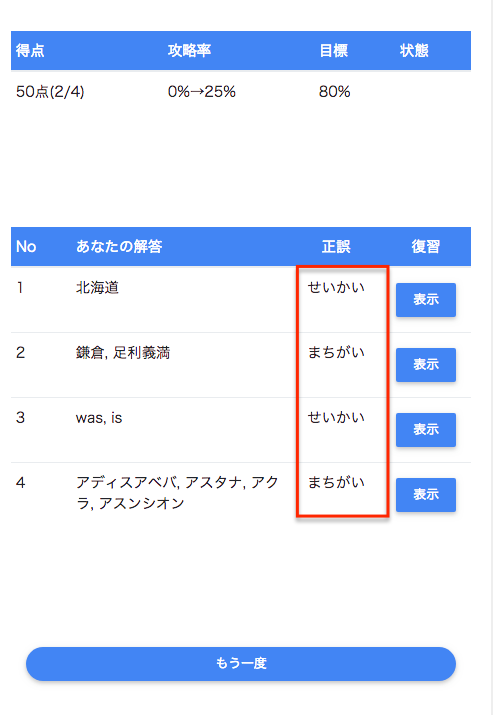
messages_correct/messages_incorrect
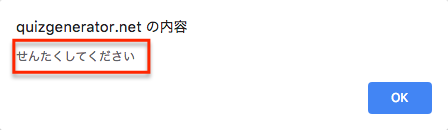
messages_not_selected
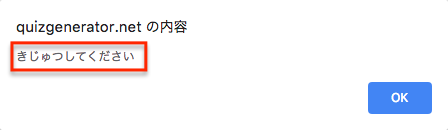
messages_not_filled